
Brief
“Names and Faces: At the beginning of each new semester or school year, teachers are faced with the challenge of remembering names for a large number of new students. Design an experience to help an educator match faces to names, with the goal of shortening the time needed to reach complete un-aided accuracy. Provide a high-fidelity mock for at least one step of this experience.”
Process
Taking a deep breath, I opened the email containing my interaction design exercise options. Immediately I gravitated toward the problem of teachers learning students’ names for the following reasons: 1) I’m passionate about education and find related tech and methodologies fascinating, 2) I’ve taught in a variety of capacities and so have personally struggled with remembering students’ names, 3) I know a lot of teachers, so ‘lots opportunities to learn more about the challenge, and finally 4) I was homeschooled all the way up until college, so I saw this as a fun opportunity to apply the principles of user-centered design in exploring the nuances of a world I have significantly less first-hand experience with than the average adult.
With selection out of the way, I got to work formulating a battle plan. It was a Friday evening, so I decided I’d prepare as much as I could, then fully dive in the following morning and have two uninterrupted weekend days to crank before heading back to the office Monday.

Battle-hardened copy.
Given my timeline (a bit over a week) and my desire to follow a coherent and documentable progression of arriving at a solution, I pulled out my trusty Sprint and throughout the week roughly stuck to that protocol. Some steps, like deciding which sketches to prototype, I opted to forgo some of the official Sprint formalities like dot voting because...well...consensus is significantly easier to achieve when you’re a product team of one. Other steps though, such as the challenge map, were incredibly useful in structuring my time.
Understand
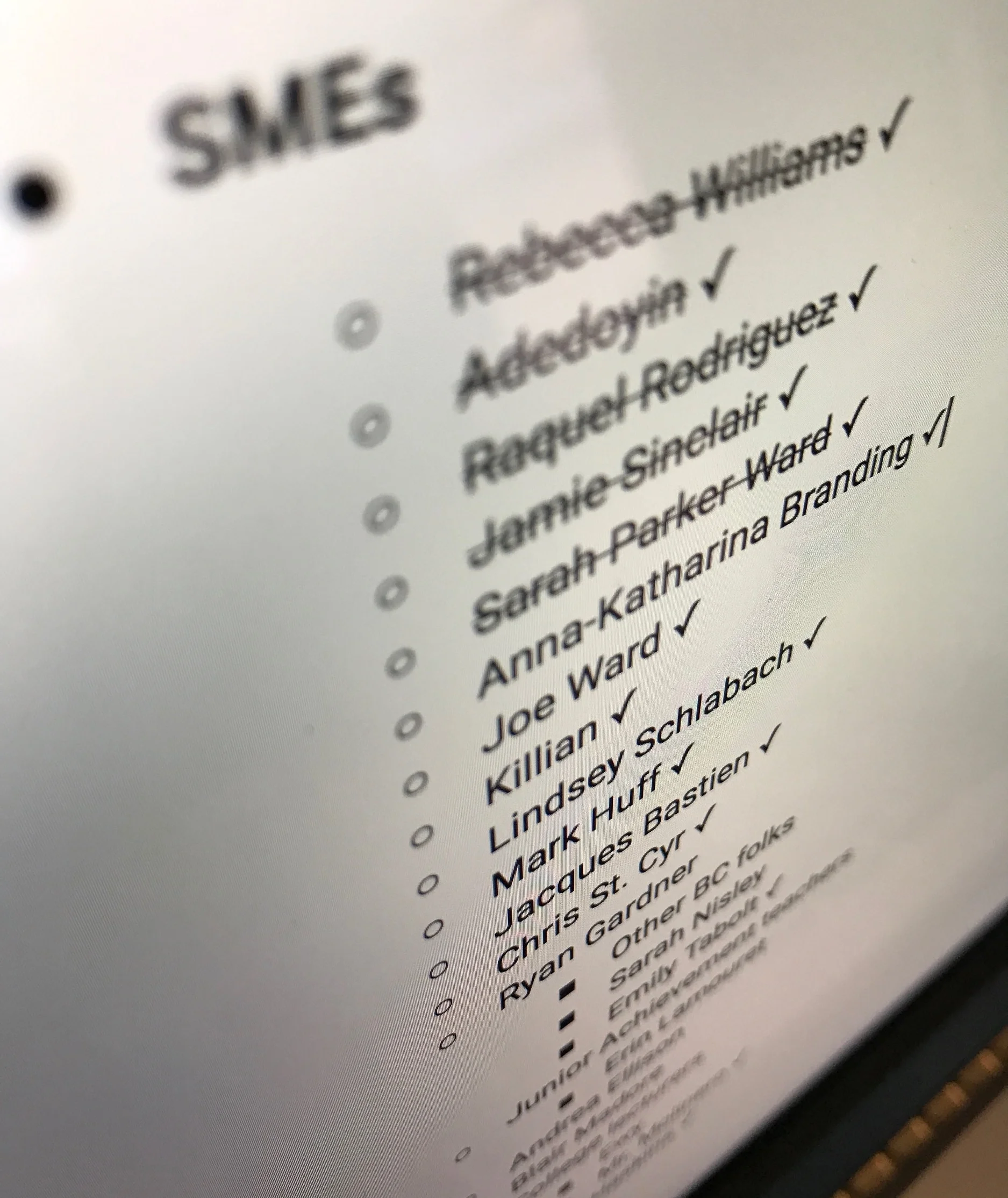
SMEs for days.
“First things first: what problem am I attempting to solve? Teachers learning students’ names – sounds like I should talk to some teachers!” Creating a new Google Doc, Friday I listed all the teacher contacts I could think of. Sister; brother’s fiancee; friends from college; friends from summer camp – if they were a teacher and were someone with which I had even the faintest thread of connection, they went on the list. 'Even messaged an ex-girlfriend I hadn’t spoken to in months.

Results of the Google Form questionnaire I sent out.
Some calls lined up for the weekend, I started assembling a list of questions I wanted to ask. Live interview was my preferred means of interaction, but in situations where that wasn’t feasible, I decided a questionnaire was the best approach. You can see the questions by checking out the Google Form I used to collect responses. Because of the different aspects of the problem I was interested in exploring, I sent one version to K-12 teachers and one to college professors.
All up, I captured input around the problem of learning students’ names from four countries, four US States, and sixteen individuals. In fact, for those first three days of the project I did little else. With each interview I adjusted and shaped my challenge map to more accurately reflect my understanding of what I’d be delivering a solution for.
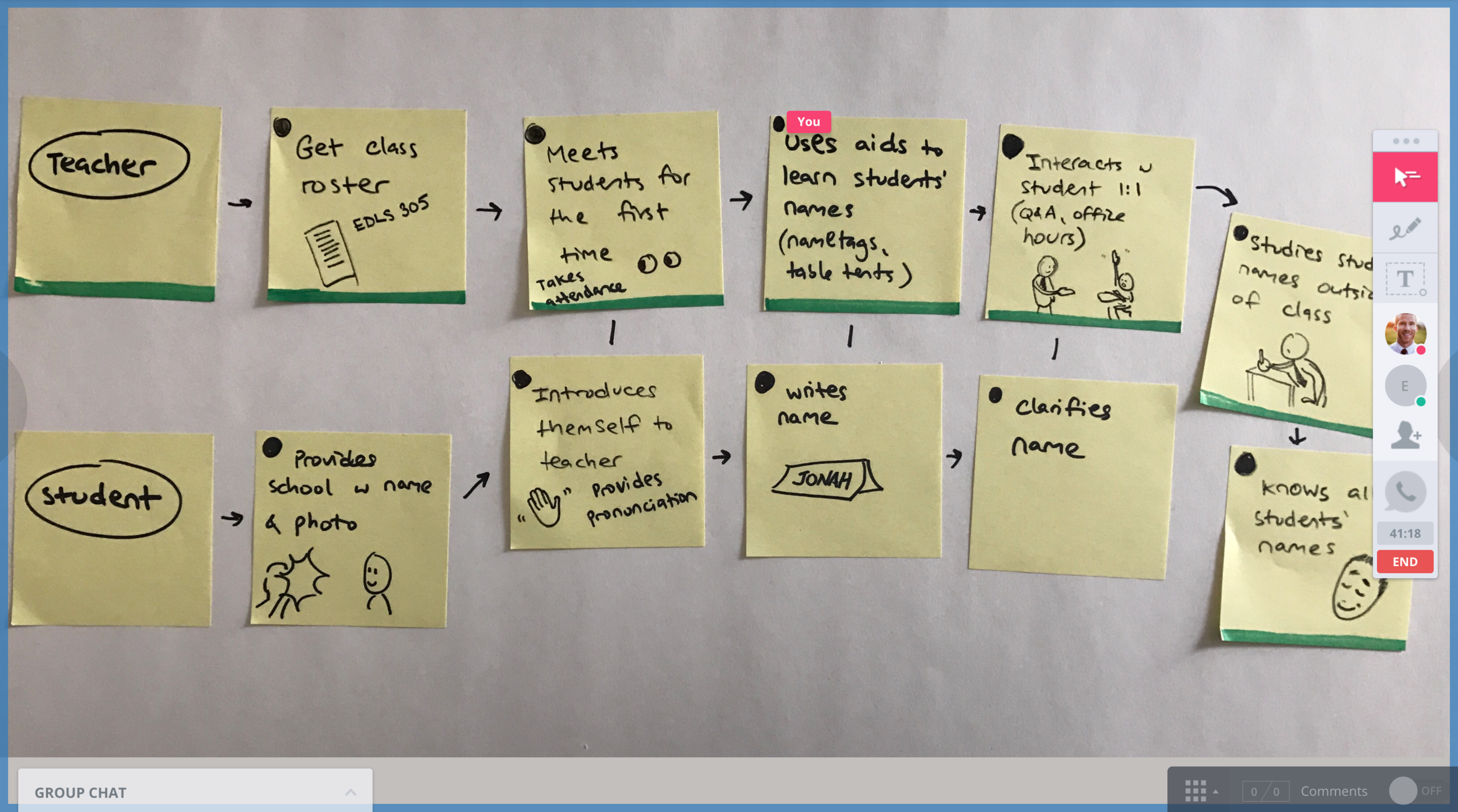
Getting feedback on my challenge map using InVision Liveshare by asking "What's missing here?"
The results of this research were mixed: some teachers had a real problem learning students names, and for others they had them mastered in the first day. This of, course correlated somewhat to the number of names they had to learn: Lindsey had 60; Dawn had 150. Here’s the tail end of Dawn reciting all 150 names on our Facetime, and my speechless reaction:
Key interview takeaways
Doodles of the problem.
- Teachers care deeply about learning their students' names and faces. This shouldn't come as a surprise, but I was impressed with how unwaveringly they viewed learning names as paramount.
“It’s respectful” – Anna
“If you don't [learn their names] they get insulted and don’t feel what they’re doing matters.” – Rebecca
"It...allows me to break down the educator/student hierarchy more quickly." – Sarah
"Helps them feel valued and included." – Cullen
- The pronunciation piece of remembering a student's name is huge. I hadn't thought of this, but several of my teacher friends noted that it's a struggle for them to get pronunciation correct, particularly those in areas with a large immigrant / ESL population. Lindsey shared how something like a teacher hesitantly or falteringly pronouncing a student's name could increase that child's chance of being bullied.
- Subject (or specialty) teachers have it hardest – they see large numbers of students from different grades and even different schools. "Classroom" teachers, on the other hand, are with the same kids all semester or year, and so mastery happens more organically.
- Teachers have massive amounts of work they're responsible for at the start of a school year, and the last thing on their mind is picking up some new app because it looks fun to try out. The trigger for users taking action with this product had to be its promise as a painkiller for an acute problem they had.
Perhaps the most overarching theme I saw was that the process of teachers learning students' names and faces was highly relational process: it happens through daily interactions like handing in homework and answering questions. For someone with a hammer everything looks like a nail, and going into this I envisioned teachers enthralled by my shiny digital experience. I quickly realized, however, that the real key interaction wasn't going to be between teacher and device – it was always going to be between teacher and student. This changed my mindset and product positioning strategy as more supplemental to this process, not replacing it in any way.
Assumptions shown by research to be incorrect
- "Teachers could keep all data locally on their phone if they're concerned about privacy." I had neglected to factor in the importance of sharing students' profiles. Teachers responsible for the same group of students (e.g. a substitute) would benefit from access to profiles, and it's senselessly inefficient to have the same student profile created multiple times for multiple accounts. To stick with a manageable scope for this project I didn't delve into sharing functionality, but that would be one of the first areas I explore if I were to continue with this project (see "Potential Next Steps" section at the end of this page).
- "Teachers could use this app during class to help with ID'ing students." Teachers have their hands full enough (literally) when handing back homework or instructing, them referencing their phone to help with a student's name
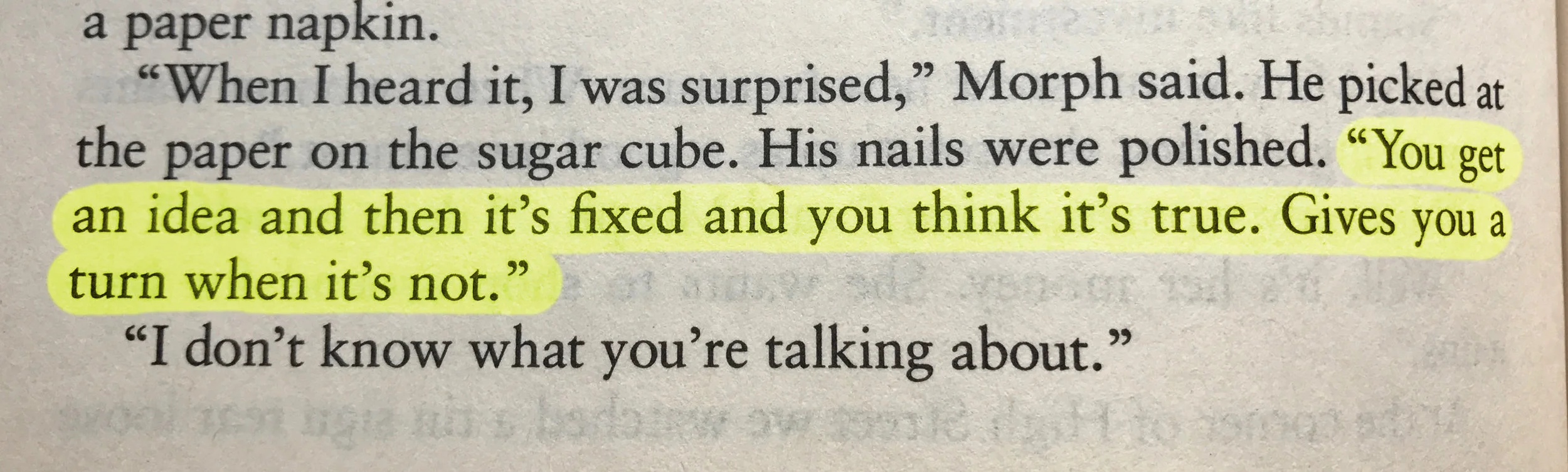
Steinbeck had it right. This line stood out to me as I read The Winter of Our Discontent one evening after encountering some problems with the product. Fortunately, the Sprint approach gave me a way to mitigate the derailing effects of those "turns".
Competitive overview
A quick look around the room reconfirmed that I was the still sole member of this Sprint and as such, researching competitors fell exclusively on my shoulders. "What type of solutions are in this space already? I found no widely-used apps that specifically addressed the problem of learning students names and face, which gave me pause regarding the feasibility of scope I was considering (more on that later). I did find a number of related education apps and name-learning apps, and catalogued those for reference later.
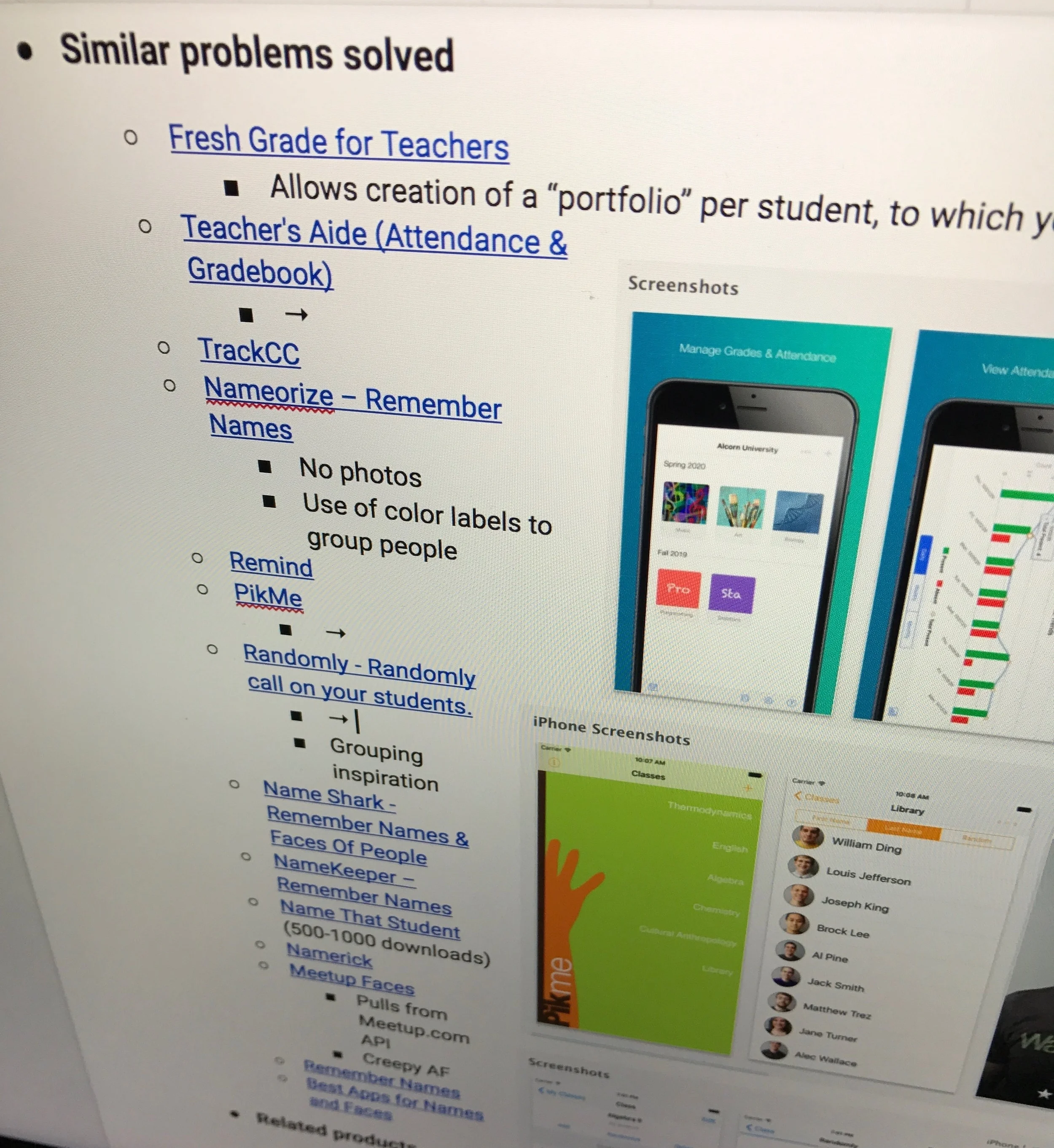
Competitive overview notes.
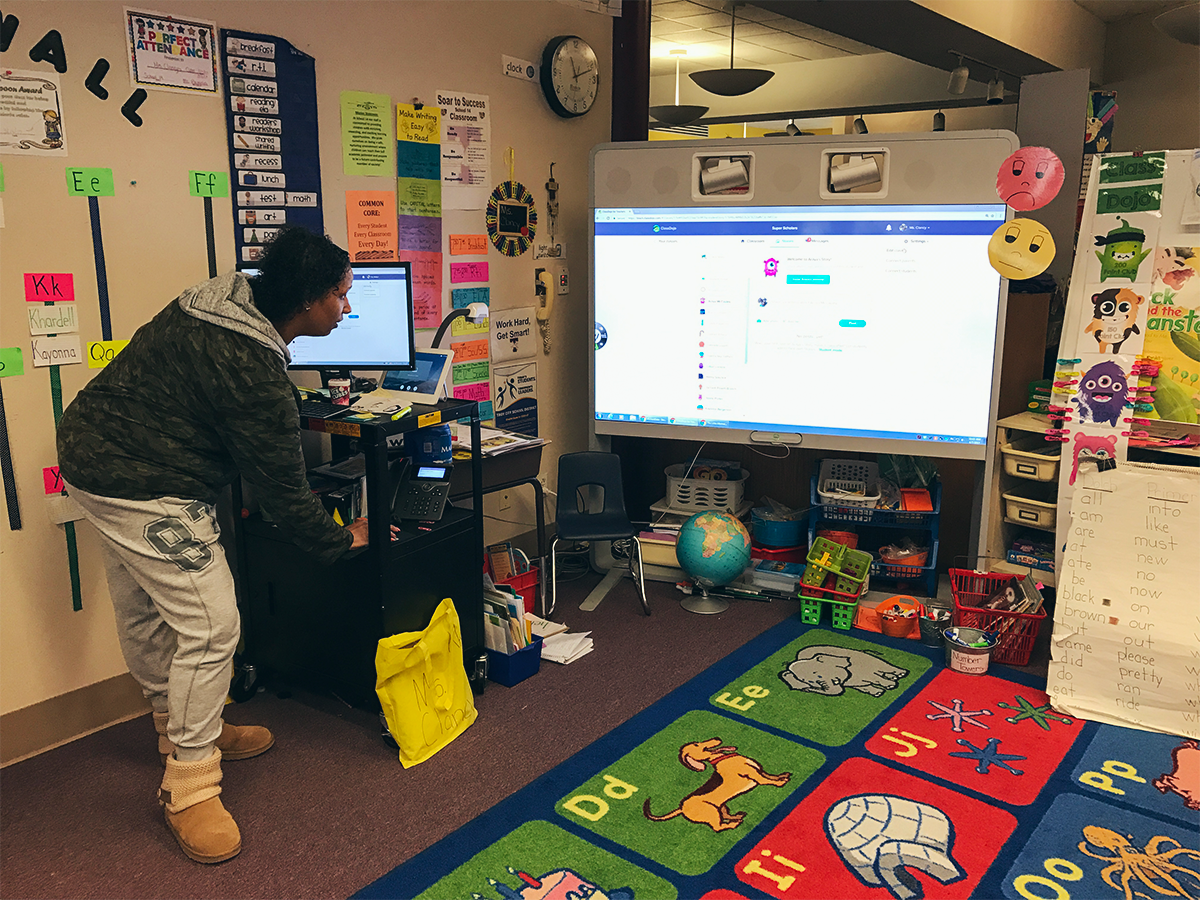
Field visit to learn about what tech teachers are currently using.
Define
Research and my refined challenge map in hand, it was time to take my sprint questions compiled thus far, reframe them as opportunities in the form of "How Might We" notes, and pick a target.
![My challenge map with the two red-tabbed Post-Its as my areas of focus [Note to self: buy different colored Post-Its for your next sprint...]](https://images.squarespace-cdn.com/content/v1/55cf44a6e4b0d49a516909e7/1491742418701-PLT0EOHZ1ARH3PG7SCR7/image-asset.jpeg)
My challenge map with the two red-tabbed Post-Its as my areas of focus [Note to self: buy different colored Post-Its for your next sprint...]
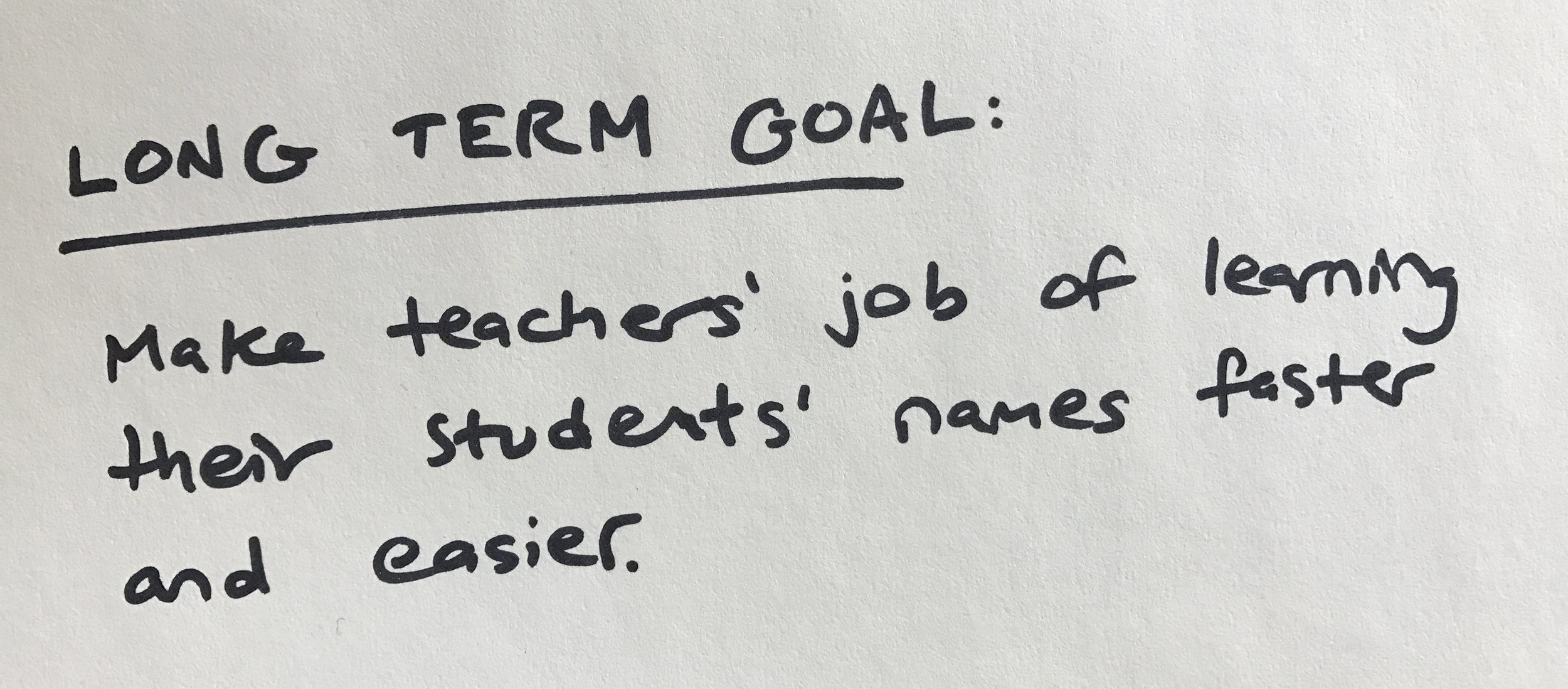
Based on my input from experts, decided to hone in on two aspects of the challenge map: pronunciation of students' names, and learning those names. The key stakeholder I'd focus on would be teachers. I put together this brief and began adding in product requirements. The app would be mobile-first, with desktop capabilities also important for steps like importing CSVs from other programs (for this scope I focused exclusively on mobile.)
Audience
Feedback I'd gotten from professors I'd interviewed was that remembering names mattered less to them than for K-12 educators. Teachers of younger students typically stay with the same class and so don't have much of a problem with learning names. However, teachers in the 6-12th grade range have a high frustration-level and time devoted to the task of learning names, and for that reason I made them my target audience. The results of the questionnaire I sent out seemed to correlate an investment of a teacher's time outside of class with student numbers of 70+, so I made that an additional focus. I put together the following persona to benchmark my progress against:
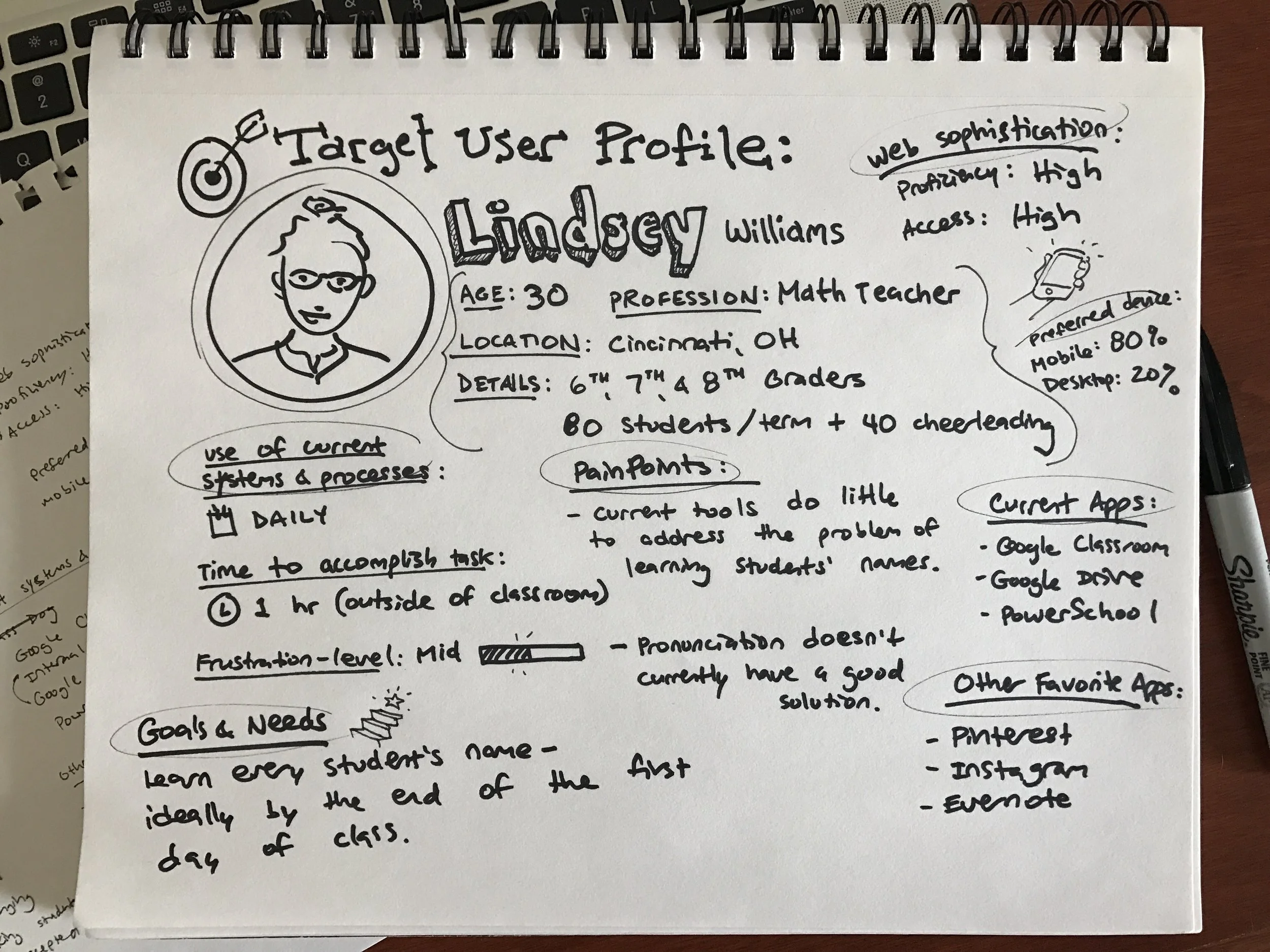
The key persona I chose to focus on throughout product development. Any resemblance to actual persons, living or dead, or actual events is purely coincidental.
“What 3 words would you like for users to use in describing your product?"
- Simple – Teachers have a lot of complex procedures and technicalities they're forced to navigate; learning their students' names shouldn't be that way.
- Helpful – Being a teacher is a spectacularly demanding profession, and this product should seek to alleviate some of that effort required.
- Fun – Most of the teachers I talked to got into teaching because they love kids. Using this app shouldn't feel like some chore on their long list of to-dos – it should be a seamless enhancement to their current process of learning students' names and what makes them tick.
Constraints I set for myself
As I mentioned previously, when I hadn't turned up many existing solutions for this problem I was curious why that was. I could think of one big obstacle right away: ensuring students' data and privacy was protected. "Would teachers even be allowed to take photos of students?" I worked as a kids' gymnastics program director in college and as photographer for community events the college held, so I was keenly aware of the broad concerns (but fuzzy on the details). Based on my specific research on this question, I don't believe it presents an insurmountable challenge. Most teachers I talked to said parents sign a waiver at the start of the term either approving or denying the release of their child's image for display (e.g. on the school's website). That would certainly cover educational usage by teachers. Regardless, I think the best business model for this product would be to market it to schools, and have it receive their stamp of approval, rather than have it be a consumer-facing app teachers would download at their discretion from the App Store (read more on marketing strategy in my "Potential Next Steps" section)
An additional constraint was around user types. Many education apps have logins for students, teachers, and parents. For the sake of an MVP I decided to focus exclusively on teachers and solve their problem of learning names & faces.
Ideate
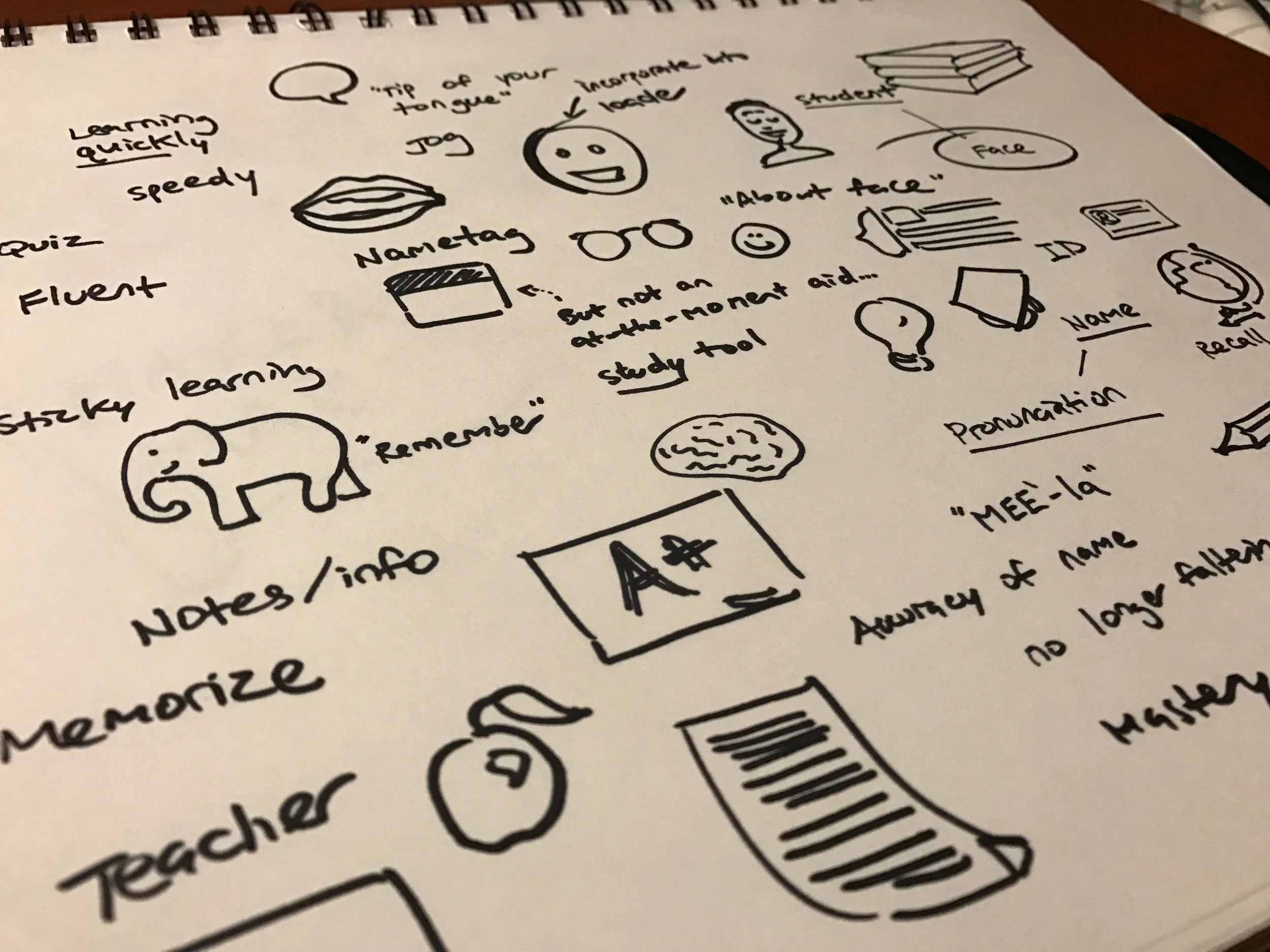
Brainstorming.
The name
No sooner had I read the prompt than my mind took off full-tilt, a' buzzing with product name ideas. Despite my wanting to be a purist and wait until I'd figured out the problem, I dutifully jotted down 💡 moments as they came to me. Among the top rejects: "Sticky Student", "Studentade", and what is possibly the worst Schwarzenegger film never made: "Student Recall". It seemed like there were so many facets of the name to cram into a App Store worthy name: the students, the teachers, the names, the pronunciation...
"Classroom" captures both the students and teachers, and "Faces" stands for not just for a student's name but their identity aaaand classroomfaces.io is available. Done.
Brand
Next on my list of products to design is a good moodboarding app. Until then, Pinterest 'tis, and for this project I made two boards: one for general brand inspiration, and one for specific screenshots of similar mobile interactions that I might be able to incorporate into Classroom Faces.
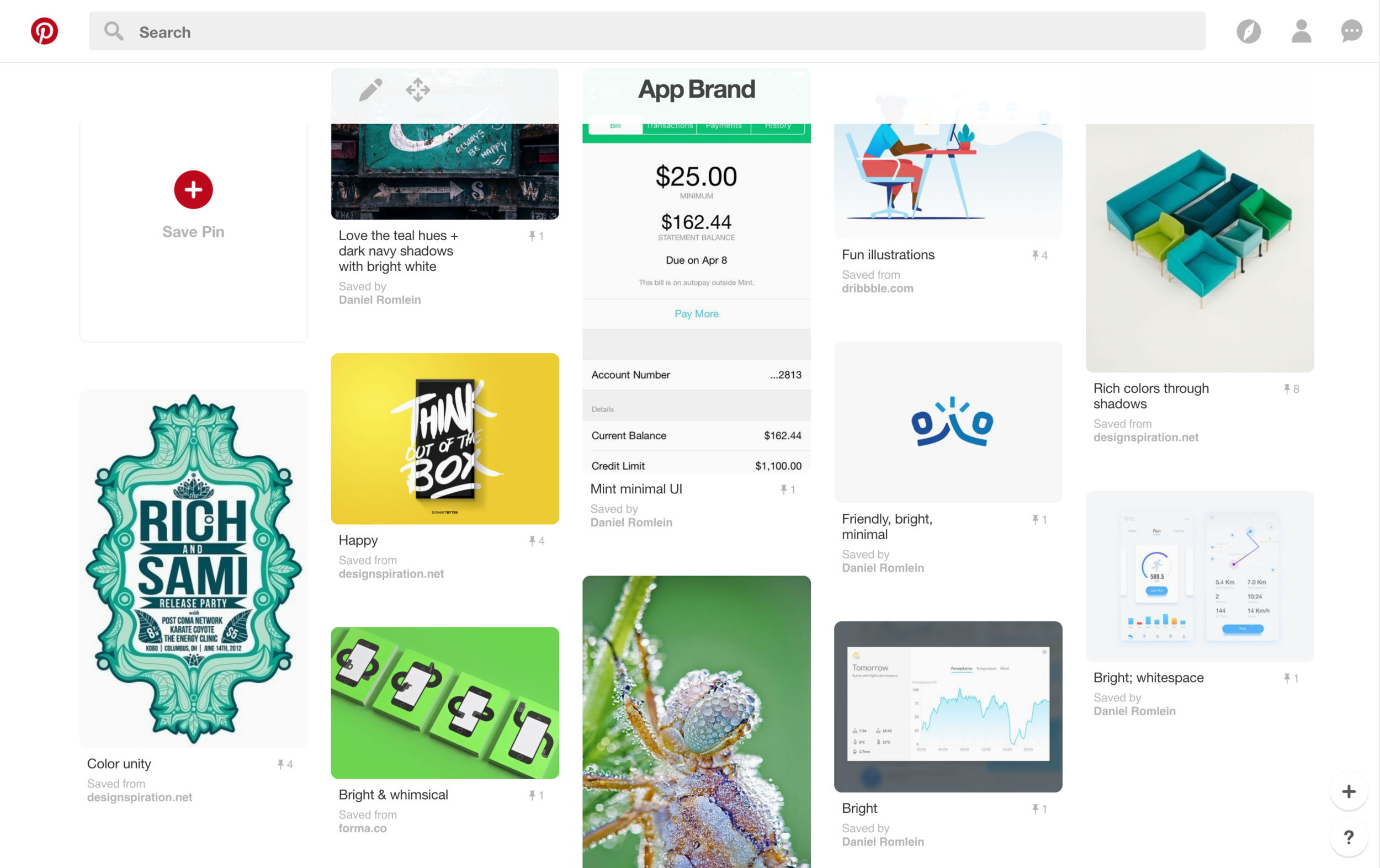
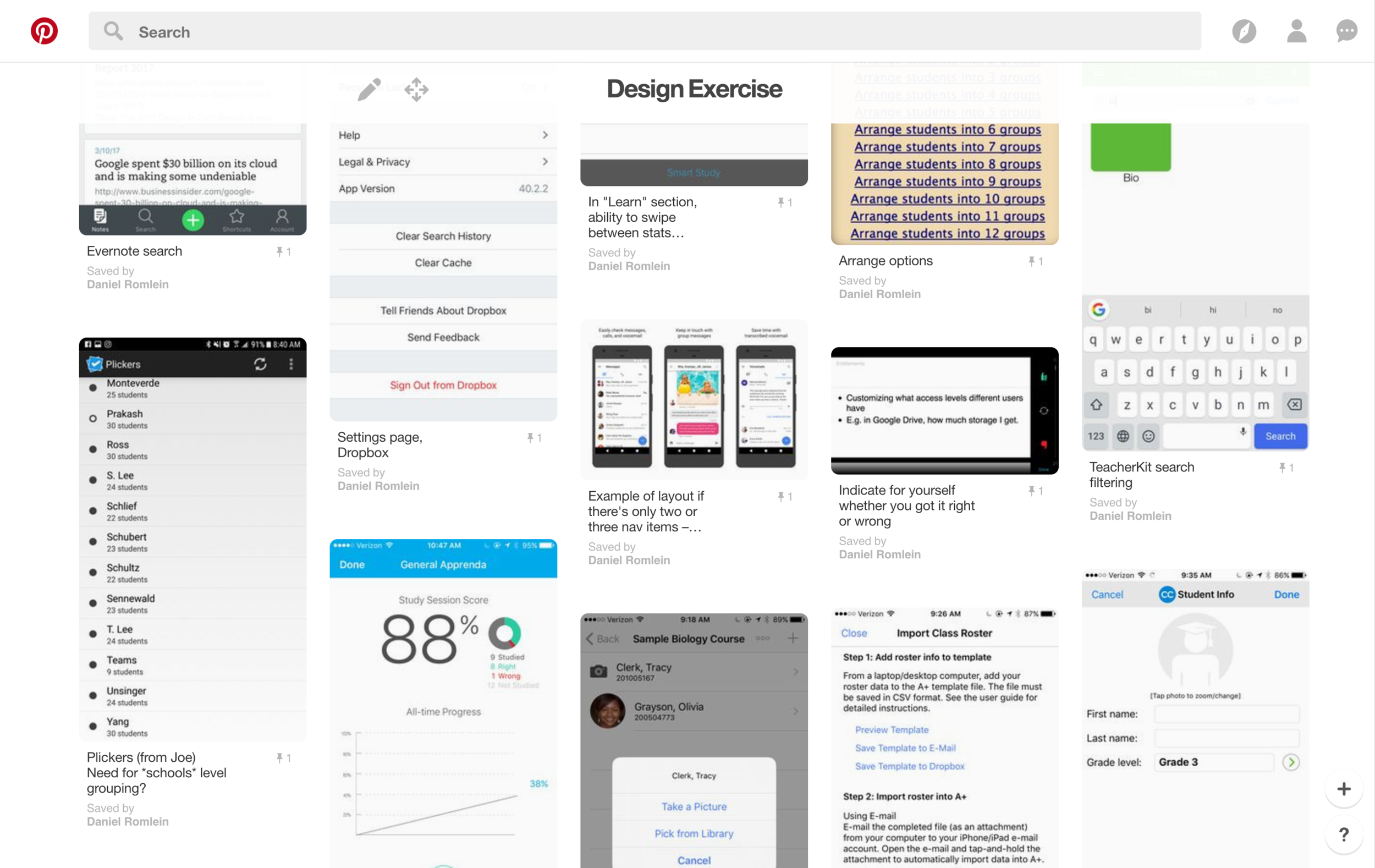
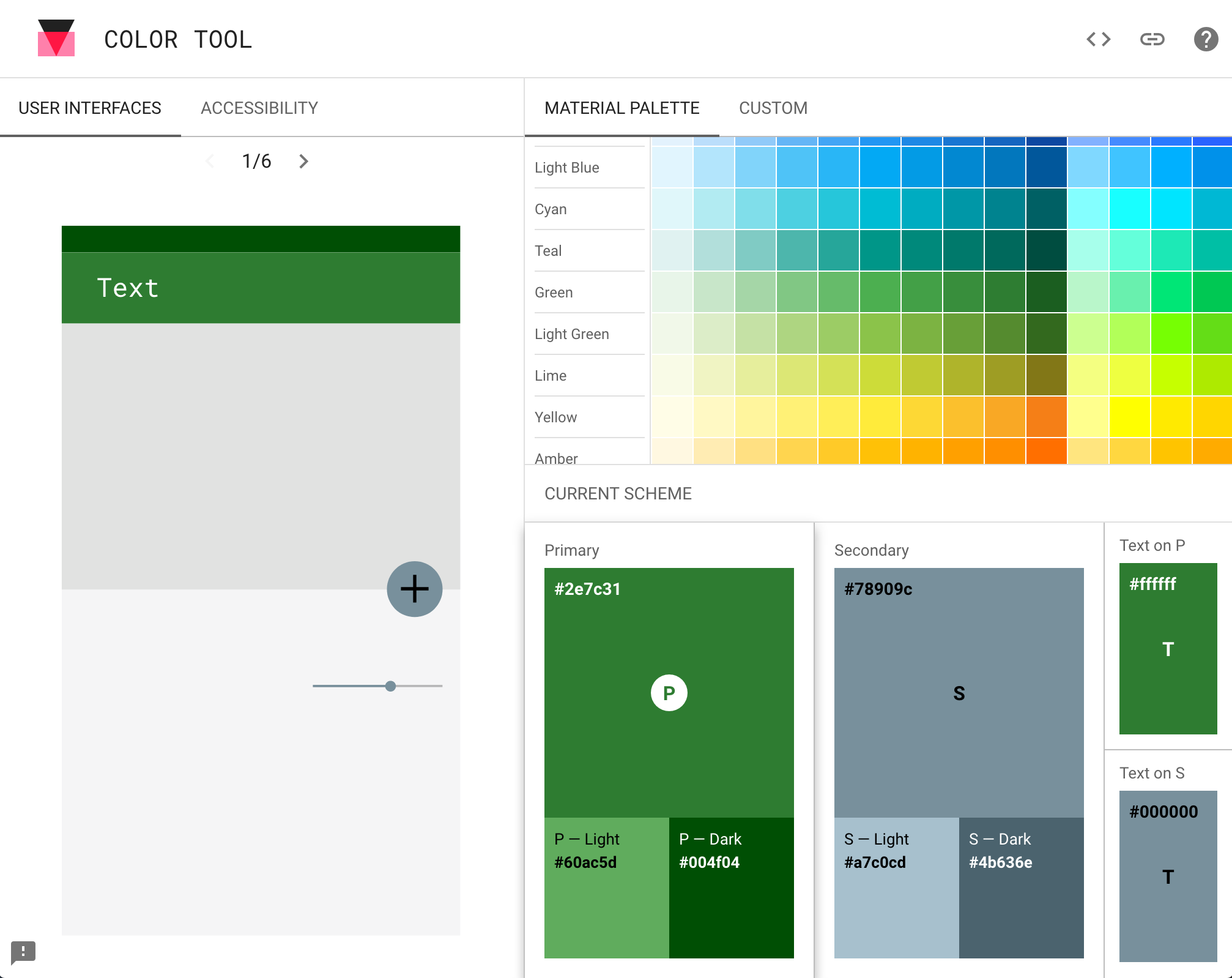
I pursued aesthetics to fit with my descriptors of simple, helpful and fun; some adjectives were fun were bright, friendly, positive, and encouraging. Greens represent growth and learning, and – excited to have an excuse to play around with the the hot-off-the-press Material Color Tool – I landed on #2E7C31 as my primary green and #9AD340 as my secondary.
Yes, the symbol of the logo is simply the unmodified Material icon for insert emoticon. We'll rebrand with something more original when we get funded.
Features & Functionality
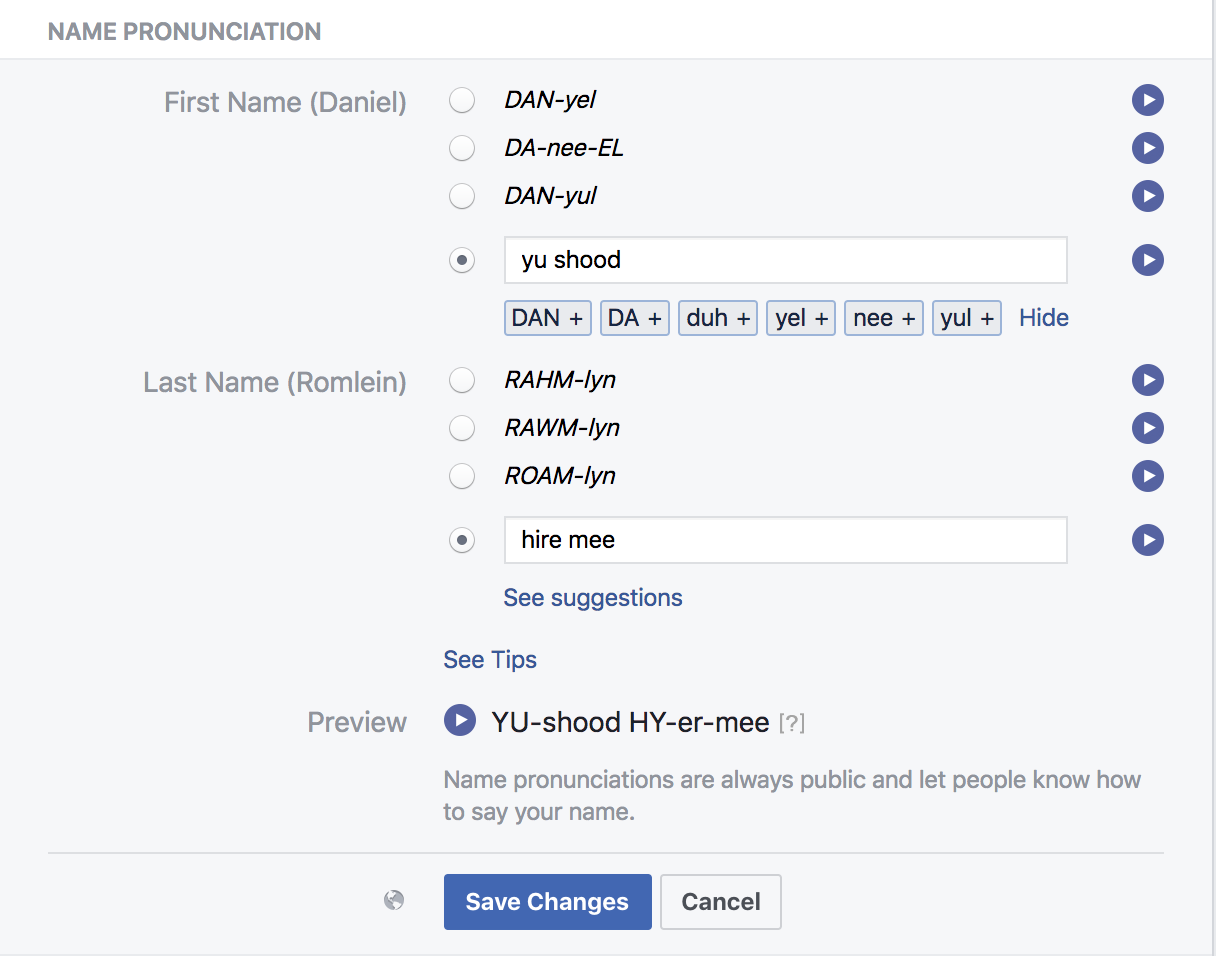
According to user research and my selected target goal, the essential student information to surface to users was name and face. A name comprises several possible components: first, nickname, last, and finally pronunciation. As previously noted, I'd anecdotally heard from teachers that pronunciation was crucial, and an article from the National Education Association underscored the point:
"When a teacher- consciously or not – mispronounces, disregards or changes the name, they are in a sense disregarding the family and culture of the students as well”
– Rita Kohli, University of California at Riverside
I looked at Facebook's name pronunciation feature for inspiration. They allow users to enter in their own preferred phonetic spelling, which is the approach I took in Classroom Faces. Rather than have an automated voice read off the pronunciation, I hypothesized that allowing teachers to actually record audio of their students reciting their name would be a more effective approach. This gets back to the relational aspect of learning names: by giving students a chance to specify their pronunciation, the app is facilitating an interaction that reassures the student their teacher deeply respects them.
And if you're wondering how many times I watched Key & Peele's Substitute Teacher skit as part of my "research" for this, the answer is a lot.
The second key component was face. While I might be up for sketching my students' likenesses, I decided this would be impractical for the masses. Ergo, photos were essential. As mentioned earlier in my discussion of privacy (and outlined in "Potential Next Steps"), the best solution would be to import existing student ID photos. This removes the inefficiency of a student's image being captured twice. Barring that possibility, a user would still have the option to manually enter student photos if they so chose.
Additional metadata included (like "birthday") came from discussions with teachers and seeing what other educational apps displayed.
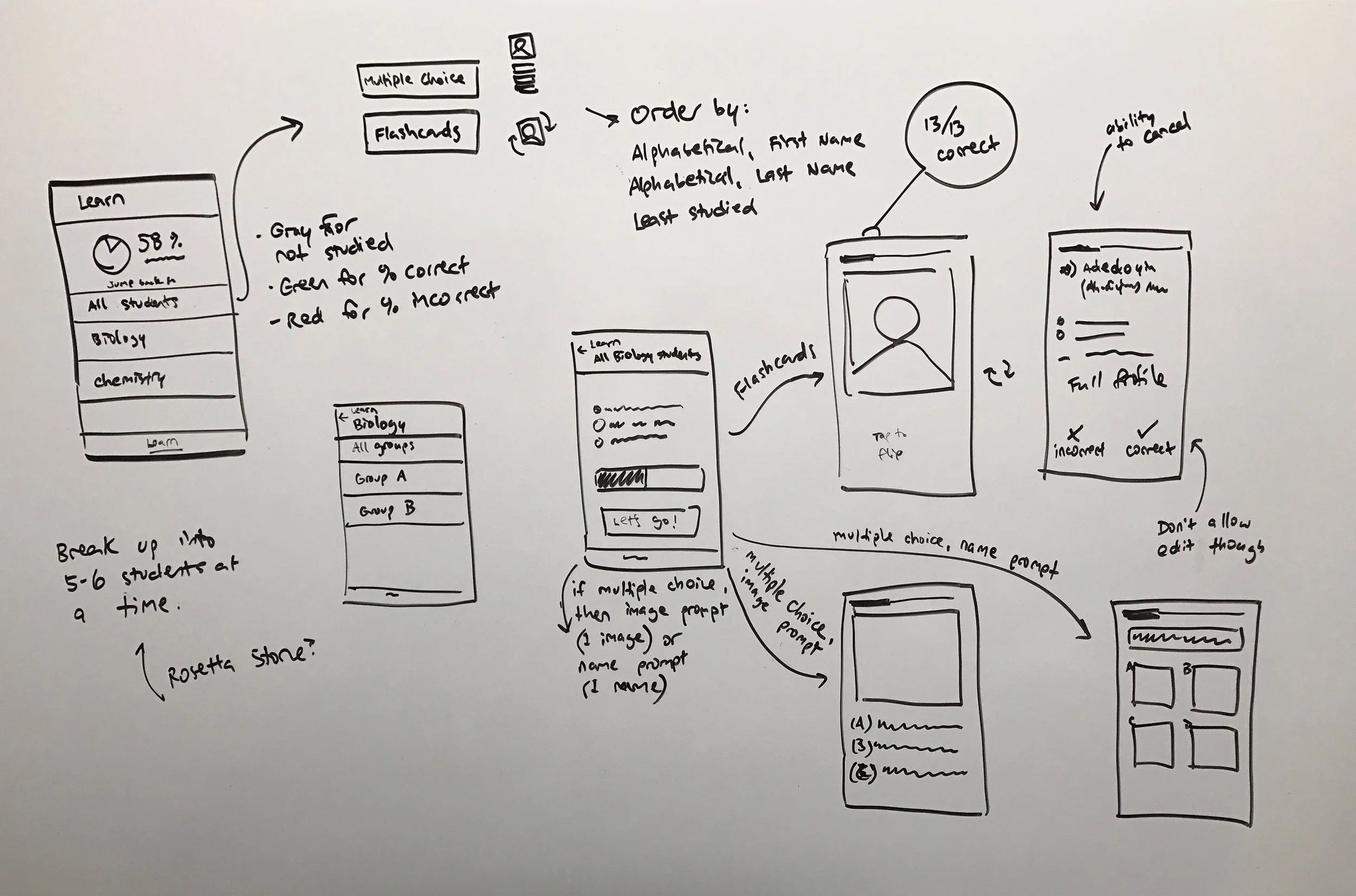
The above content made up the Students section of my app. The other main section was Learn, and is what would really differentiate this product from merely an enhanced "Contacts." Learn enables teachers to do just that: they can pick either flashcards or multiple choice as a method for quizzing themselves on students' names. They can study per class, per group, or all students. If studying a group of more than 10 individuals, Classroom Faces will offer to break the students into groups of 10 to make the learning process more manageable. The basis for this was University Nebraska-Lincoln's grad program resource page for learning students' names, which recommends learning 8-9 names at a time.
Wireframes
User flows.
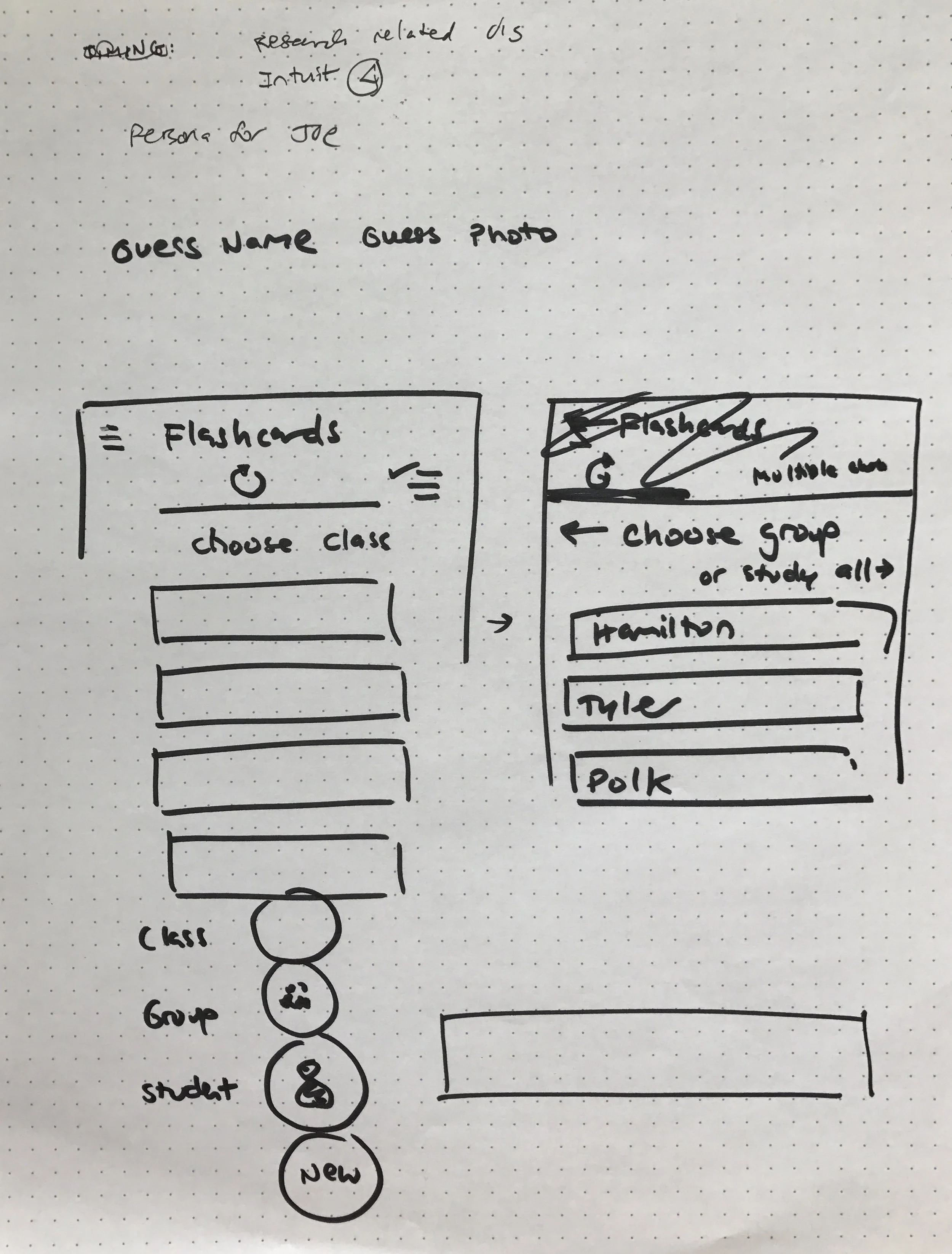
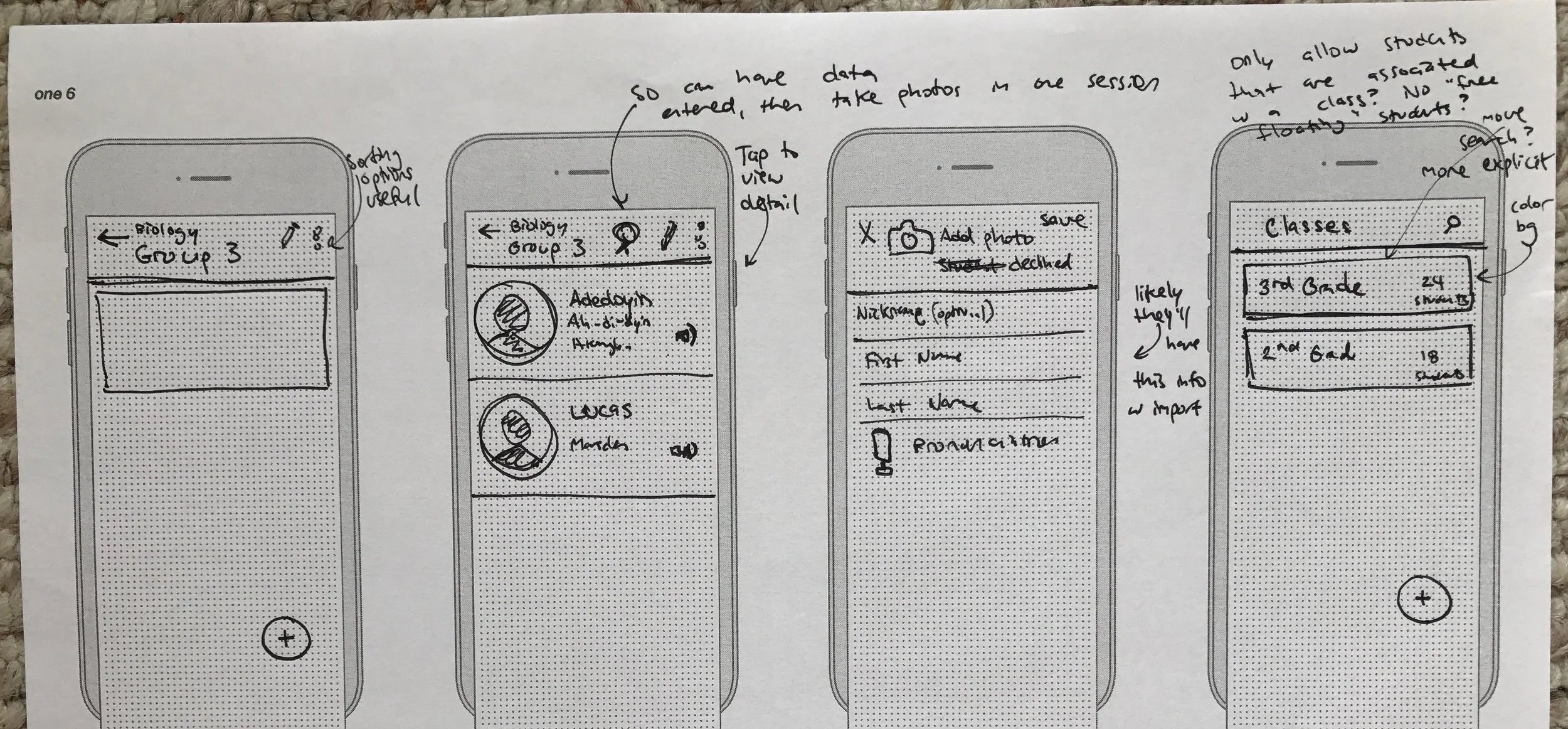
As mentioned previously, I made a Pinterest board to which I'd pin screenshots of UI / interaction inspiration as I came across them. Once I'd reflected on that, given myself some time to muse on my research findings, and defined goals for the project, I partook in the age-old UX design tradition of drawing lots of rectangles on dot-paper. Even the apparent dead-ends typically had some kernel of idea that with the right finessing could evolve into a solid design approach.
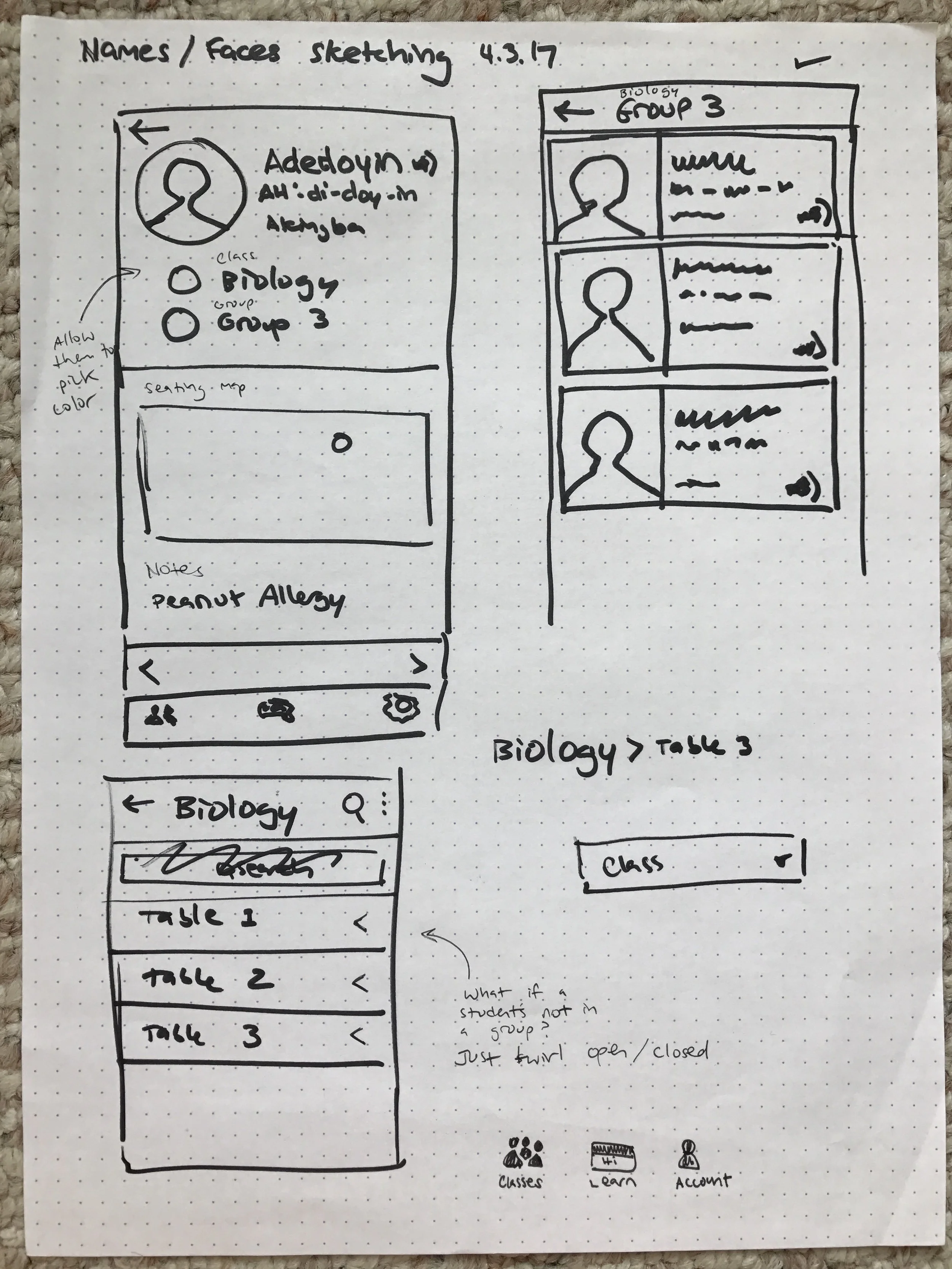
![[Unused] sketches for the interaction of taking attendance.](https://images.squarespace-cdn.com/content/v1/55cf44a6e4b0d49a516909e7/1491744954904-9MKEDHPFUYKTBD7QB3YN/attendance-selection.JPG)
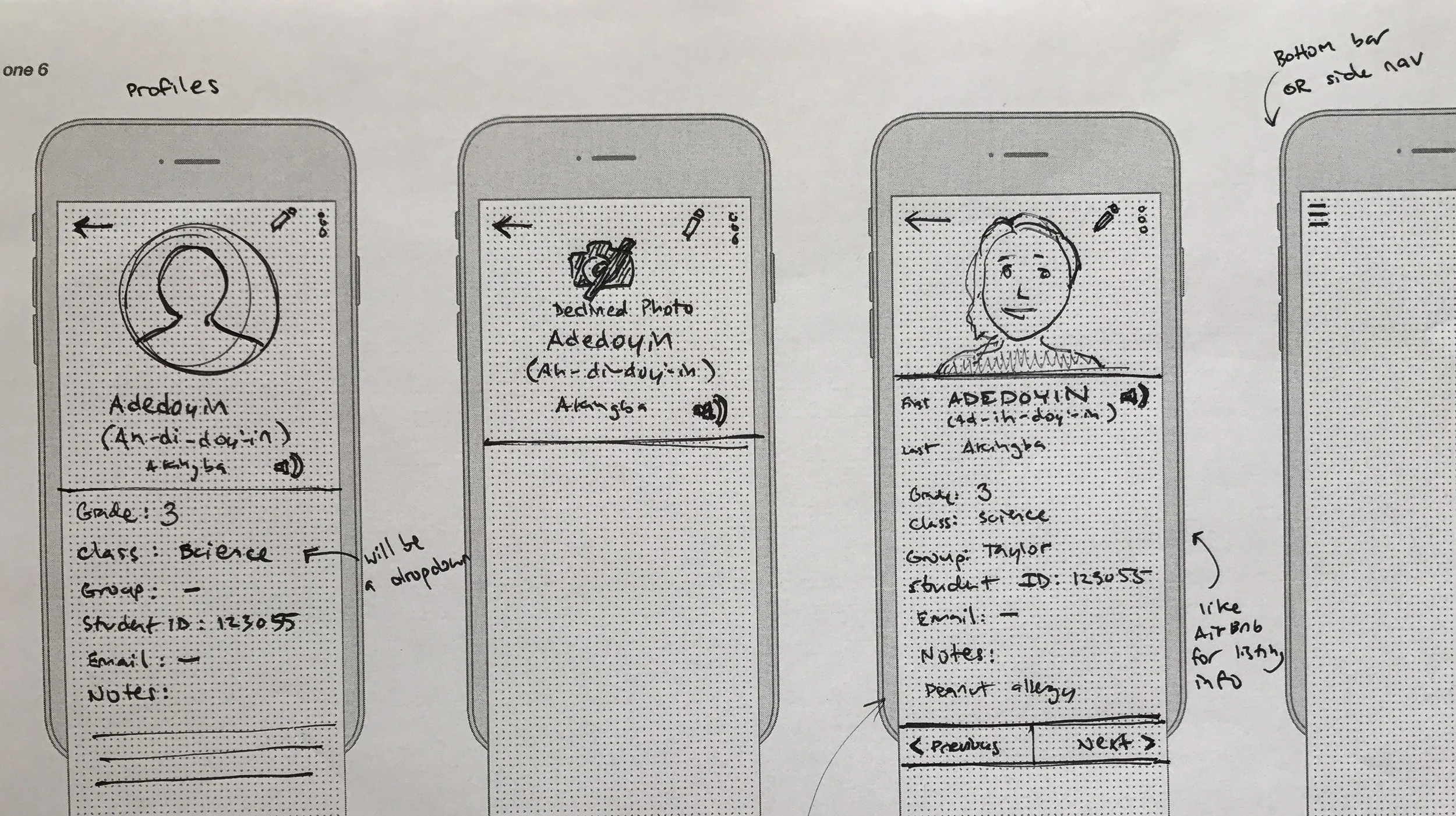
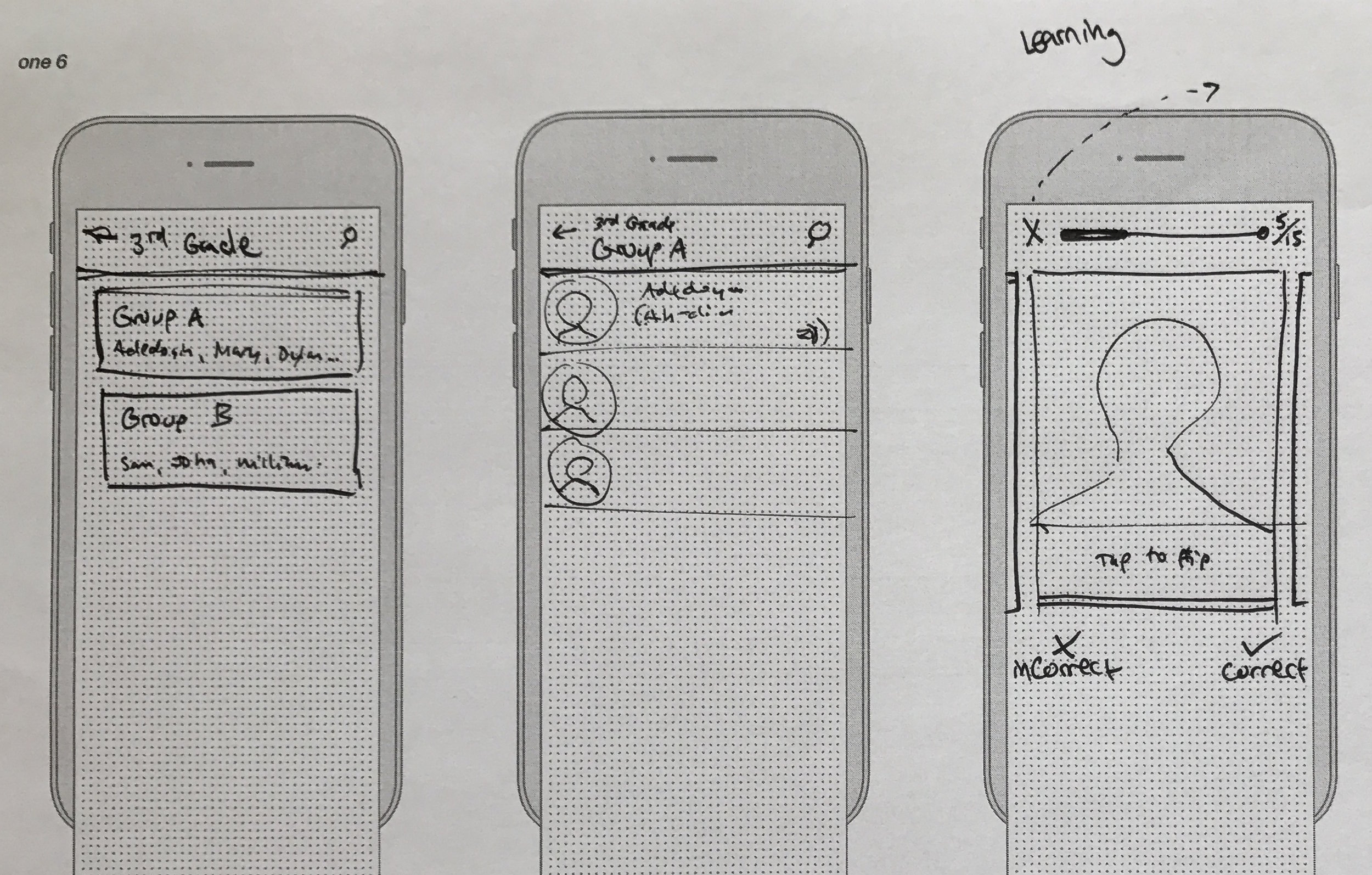
The following is a whiteboarding session where I diagrammed the user flow of the "Learn" section. For variety, and to empower users to pick the learning method that suits them best, I gave the option to either study multiple choice (see either an image or a photo and then pick from a list the correct corresponding image / photo), or flashcards.
Wireframes for the "Learn" section of the app.
Prototype
Using the Material Sketch stickersheet and a few other open-source Material Sketch pattern libraries, I translated my paper wireframes into Sketch mockups. I then jumped into InVision and stitched those together into a black & white interactive prototype. Material made sense to employ because 1) It's well-researched and has proven its merits in a wide range of products 2) I'm familiar with it from my work with Kubernetes Dashboard and so could move quickly, and 3) It's a customizable UI that would accommodate future re-skinning if I took the approach of integrating with an existing product.
Validate
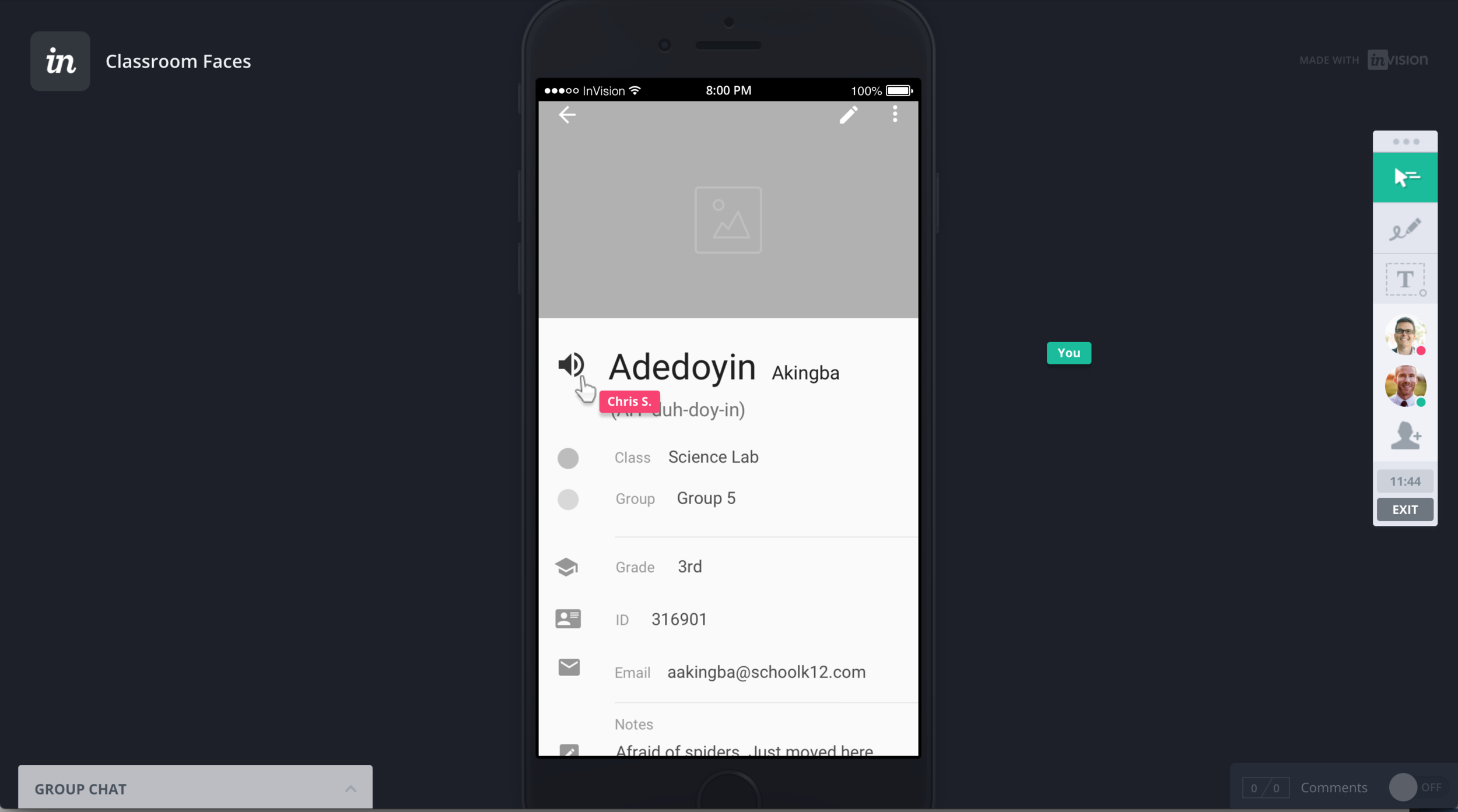
InVision LiveShare with a tester. We were running three devices, the LiveShare + a Hangout, AND IT ALL WORKED FLAWLESSLY.
Prototype user testing with Staci.
Recruiting testers for my prototype was tricky, because I didn't want people who I knew too well, or they wouldn't give me honest feedback – that meant my pool from the start of the sprint was out. I didn't want the profession-potpourri of a coffeeshop – I wanted teachers.
Glancing down beneath desk one day at work I saw my Junior Achievement bag peeking out from a shelf – bingo. I volunteer as a teacher with Junior Achievement, and I thought of as contacts both the teacher I was paired with last year, as well as the teacher I had yet to meet this year. They're both kindergarten teachers, so not exactly my target user base, but at least I had teachers.
I observed a total of three users interacting the prototype: Thursday remotely with Chris, who's a professor at St. Rose College, and on-site Friday with kindergarten teachers Staci and Deniece at School 14 in Troy.
Key user research takeaways
- When he'd gone through the flashcard-flip interaction a few times, Chris jokingly said, "Where's my badge?" Though he was kidding, he did have a good point about the gamification of Classroom Faces. The experience of learning names / faces in the app should be fun, and I think including more feedback based on # of names learned, % accuracy, etc. is an important area for future research (see "Potential Next Steps").
- Deniece noted that the birthday piece would be valuable for teachers to see / be alerted about in the app. This is another way for Classroom Faces to facilitate deeper relationships between teacher and student.
- As I expound upon in "Potential Next Steps" below, Deniece brought to my attention how an additional way this app could bring features to teachers would be enabling a way to share profiles with observers of their classroom to demonstrate learning students' backgrounds.
- I was still considering the attendance functionality, and Staci informed me they already have a school-mandated attendance they have to take every 40 minutes, so she would only find that a hindrance.
- Because I hadn't built out the add group aspect of the app, Staci was a bit confused by the structure in place. I think having this interaction would sufficiently address the concerns she shared.
End Result
Final mockups for the app on iOS.
Though it doesn't contain an exhaustive set of screens for the app, this InVision prototype features the main views and interactions. Here's a video of me demo'ing the prototype.
Lessons Learned
- Students' vs. student's & teachers' vs. teacher's is really hard to keep straight when you're dealing with the number of occurrences that I was...
- More completed prototype screens would have made my user testing sessions more valuable, even if that meant some UI sloppiness. The feedback I got was still tremendously valuable with me explaining "missing link" views, but I think I would have learned more from a prototype where I could say less and let testers interact naturally.
- Also on user testing: were I to do it over, I'd make the sessions more task-based. One of my testers clicked through a few screens and asked, "So what am I trying to do?" I realized I'd fallen into the trap of subconsciously assuming other people had the same level of understanding about this app as I did, and I'd neglected to provide a specific goal for them to accomplish.
Potential Next Steps
With only nine days to work on this, there remains a lot of uncharted territory I would have loved to explore but had to say no to for the sake of a manageable project scope. Possible areas to explore next:
- Integrating with existing solutions like Google Classroom or Blackboard – pulling student data from them and contributing Classroom Faces' value of learning gamification and pronunciation
- When I met with teachers to test my prototype, one of the things they said is that they'd love to have a way to print out profiles like this to share with their observers. "Any evidence we can point to that we're investing in learning about our students' backgrounds and individuality is crucial when observation time rolls around." Observation plays a big part in our current education system, and capturing student data like this presents an opportunity to share that with relevant parties.
- Attendance-tracking apps like Kinvolved seem very popular at the moment, based on my competitor research. Being able to indicate in Classroom Faces whether or not a student is present would be a natural extension of its current functionality.
- Another piece of functionality that would be very easy to validate with teachers is that of randomly picking a student in a given class (their a few apps I found dedicated to this purpose).
- Further experimentation and testing around gamification of learning names.
- Seating map feature. Some teachers I spoke with used assigned seating (or at least for the first few weeks of class), and this would be an added dimension to help them connect a name to an individual.
- Finally, information architecture exploration and refinement. In my own experience of using the app, it occurred to me that it seems a bit off to have the "Learn" and "Students" sections of the app have so much in common and yet be distinct areas. Currently there's no content around learning (e.g. how much progress I've made on a given class) in the "Students" section. My current approach was the simplest and thus I think the most appropriate for the MVP, but as a next step in massaging the hierarchy and relationship of the two areas I think an object-oriented card-sorting exercise would prove beneficial.